Whether you’re a small business owner, freelancer, or an established enterprise in India, understanding GST compliance is crucial. Goods and Services Tax (GST) has simplified indirect taxation, but navigating the GST portal can be intimidating if you’re not well-prepared. One of the first steps in managing your taxes efficiently is knowing the GST login requirements.
In this guide, we’ll break down everything you need to know—from basic login prerequisites to step-by-step instructions, common issues, and expert tips. By the end, you’ll feel confident managing your GST accounts without relying heavily on external help.
What Is GST Login and Why Is It Important?
Before we dive into the technicalities, let’s clarify what GST login actually means.
The GST login is the gateway to India’s online GST portal where taxpayers can:
-
Register their business under GST
-
File monthly, quarterly, or annual returns
-
Claim Input Tax Credit (ITC)
-
Generate e-way bills
-
Access notices, refunds, and compliance reports
Having a smooth GST login experience is critical because any delay or error can lead to penalties, missed refunds, or compliance issues. Think of it as the key to unlocking your tax management dashboard.
Who Needs a GST Login?
Not everyone in India needs to worry about GST login. The requirement generally applies to:
-
Businesses with annual turnover above ₹40 lakh (₹20 lakh for special category states)
-
E-commerce operators
-
Overseas suppliers supplying goods or services in India
-
Professionals providing taxable services above a threshold
-
Casual taxable persons
Even if your business is small, understanding GST login requirements early helps you stay proactive and avoid last-minute hassles.
Essential GST Login Requirements
Before you attempt to log in, make sure you have the following:
1. GST Identification Number (GSTIN)
Your GSTIN is your unique 15-digit registration number. Without it, login is impossible. It also links all your tax filings, returns, and compliance data.
2. Valid Email ID and Mobile Number
The GST portal uses OTP-based verification. Make sure your email and mobile number are active and accessible.
3. Permanent Account Number (PAN)
Your PAN must be registered with GST. This ensures your tax records are correctly linked with your income tax filings.
4. Bank Account Details
For refunds, payments, and ITC reconciliation, your bank account must be linked to your GST profile.
5. Username and Password
After registration, the GST portal generates login credentials. Keep them safe; using multiple devices to access the portal can sometimes trigger security flags.
6. Digital Signature (for Companies & LLPs)
Some filings, especially returns like GSTR-1 or annual filings, require a Class 2 or Class 3 Digital Signature Certificate (DSC).
Step-By-Step GST Login Process
Logging into the GST portal is straightforward if you follow these steps:
-
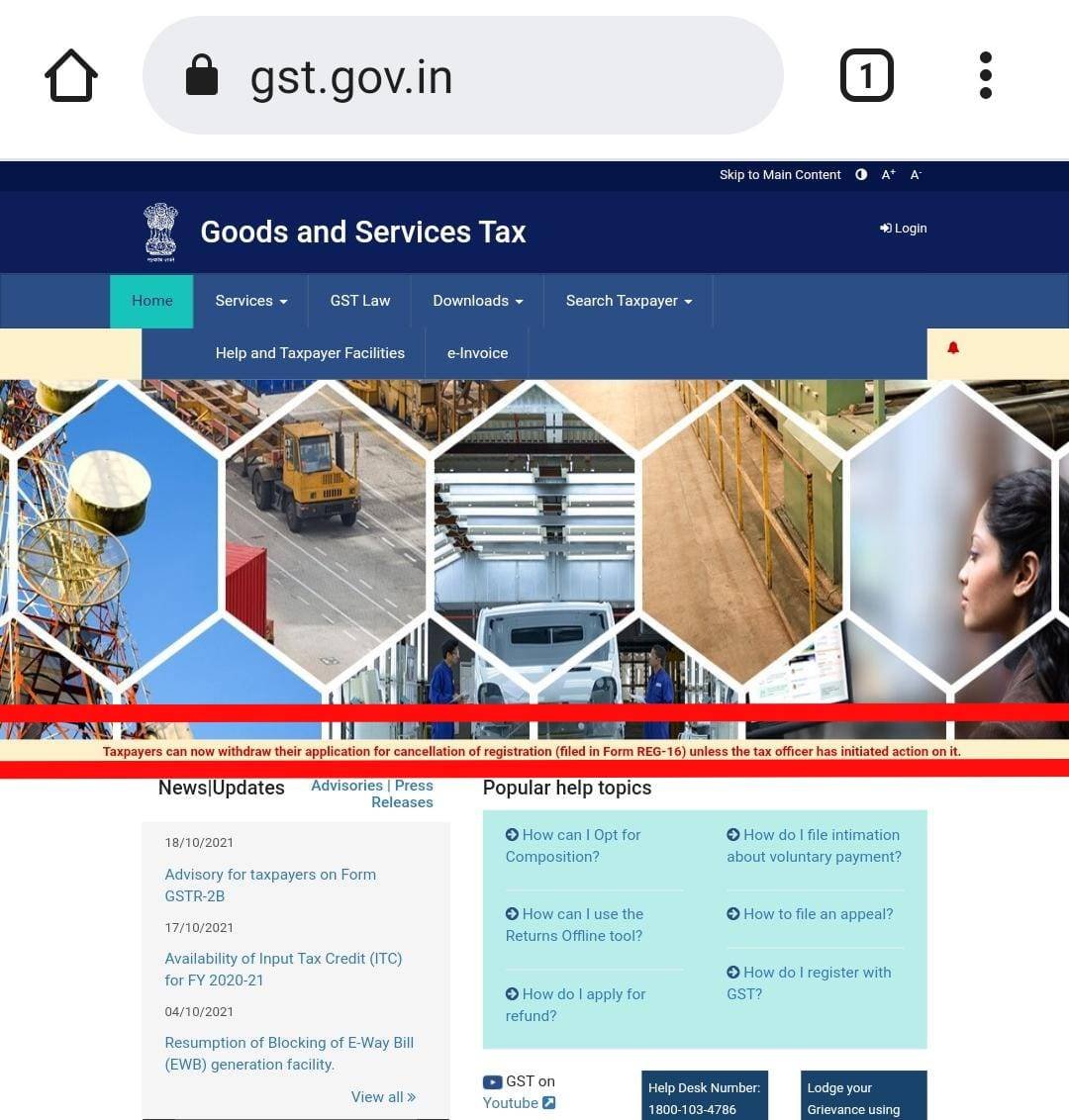
Visit the official GST portal.
-
Click on “Login” under the taxpayer section.
-
Enter your GSTIN or Username.
-
Provide your password and captcha code.
-
Enter the OTP sent to your registered mobile/email.
-
Access your dashboard and start managing returns, e-way bills, or filings.
Pro Tip: Always log out after completing your work to prevent unauthorized access.
Common Issues While Logging into GST Portal
Even seasoned users sometimes encounter login problems. Here’s what to watch for:
-
Incorrect GSTIN or PAN: Double-check your input; GSTIN is case-sensitive.
-
Forgot Password: Use the “Forgot Password” option and follow OTP verification.
-
OTP Not Received: Ensure your mobile number is active and not blocked for OTP services.
-
Browser Compatibility: GST portal works best on Chrome and Firefox. Disable extensions that block scripts or pop-ups.
-
Server Downtime: High traffic during deadlines can cause temporary access issues. Plan login outside peak hours if possible.
GST Login Requirements for Different Types of Users
Individual Taxpayers
-
PAN
-
Mobile number & Email
-
Bank account details
Partnership Firms
-
PAN of firm
-
PAN of partners
-
Digital signature
-
Bank account linked
Private Limited Companies
-
PAN of company
-
PAN of directors
-
DSC mandatory
-
Authorized signatory details
E-commerce Operators
-
GSTIN registration
-
TIN or PAN for all vendors
-
Bank account linked
-
Regular reconciliation for sales and commission
Important GST Portal Features After Login
Once logged in, taxpayers can access a range of tools and features, including:
-
GSTR Filings: Submit monthly, quarterly, or annual returns.
-
E-Way Bills: Generate bills for transporting goods.
-
Refund Applications: Track pending or approved refunds.
-
Payment History: Check tax payments and challan status.
-
Compliance Reports: Download statements for audits.
-
Profile Management: Update registered email, mobile, or bank details.
-
Notices and Alerts: View pending actions or notices from GST authorities.
Tips to Ensure Smooth GST Login and Filing
-
Keep Credentials Safe: Never share your password or DSC with unauthorized personnel.
-
Use Updated Browsers: Outdated browsers can prevent certain portal features from loading.
-
Maintain Bank Details: Correct account information prevents refund delays.
-
Update PAN and Mobile: Linked PAN and mobile number must be current for OTPs and verification.
-
Check Internet Connection: A stable connection prevents errors during form submissions.
-
Monitor Deadlines: Filing late can lead to penalties; set reminders.
-
Use Help Section: The portal offers FAQs and step-by-step guides for common queries.
Frequently Asked Questions (FAQs)
Can I log in without GSTIN?
No, GSTIN is mandatory. Without it, you cannot access any taxpayer services.
What if I forget my GST login password?
Use the “Forgot Password” option and verify through OTP sent to your registered mobile/email.
Is digital signature mandatory for all taxpayers?
No, it’s required mainly for companies, LLPs, and certain high-value filings.
Can multiple users access the same GST account?
Yes, but each user must be authorized and linked via the principal account holder.
Why is my OTP not received?
Check your network, ensure your mobile is not in DND mode, and verify that the number is correctly registered.
Benefits of Understanding GST Login Requirements
Knowing the login requirements and portal features saves time, reduces errors, and ensures smooth compliance. Some key benefits include:
-
Faster and error-free GST filings
-
Easy tracking of tax payments and refunds
-
Access to compliance reports for audits
-
Prevention of penalties due to missed deadlines
-
Simplified business management with real-time data
Common Mistakes to Avoid During GST Login
-
Using Unregistered Email or Mobile: OTP verification fails if you haven’t registered the correct details.
-
Ignoring Browser Updates: Some functionalities may not load properly.
-
Sharing Credentials: Leads to unauthorized changes or data breaches.
-
Missing Deadlines: Login issues often arise at the last minute, causing missed filing deadlines.
-
Overlooking DSC Expiry: Check expiry dates for digital signatures to prevent rejected submissions.
Conclusion
Understanding GST login requirements is no longer optional for modern businesses—it’s essential. From having your GSTIN and PAN ready to securing your digital signature, each step ensures smooth compliance and stress-free filing. Once you master the login process, the GST portal transforms from a complex tax interface into a powerful tool that simplifies your financial management.
Stay proactive: check your details regularly, update your credentials, and explore portal features to maximize efficiency. Mastering the GST login process not only saves you time but also safeguards your business from unnecessary penalties.
About the Author