When it comes to telecom services in India, few names are as prominent as Jio. From revolutionizing mobile data to offering comprehensive broadband solutions, Jio has become a household name. But even the most reliable services can run into hiccups, whether it’s a network issue, billing confusion, or device compatibility question. That’s where the Jio Customer Care Number becomes a lifeline. Knowing the right contact, how to reach support efficiently, and what to expect can save hours of frustration.
In this article, we’ll explore everything you need to know about Jio customer support: the numbers, the process, tips for faster resolution, and additional resources to ensure your issues are addressed promptly. Whether you’re a long-time Jio user or a new subscriber, this guide will simplify your support experience.
Why You Might Need the Jio Customer Care Number
Even the most seamless services occasionally hit bumps. Jio users typically contact customer care for issues like:
-
SIM activation and replacement
-
Internet connectivity problems
-
Billing discrepancies or recharge issues
-
Device compatibility queries
-
Plan upgrades, downgrades, or new subscriptions
-
Technical support for JioFiber, JioPhone, and MyJio app
-
Reporting lost or stolen SIM cards
Having the Jio Customer Care Number handy ensures that you don’t waste time navigating automated menus unnecessarily. Instead, you get direct access to trained representatives who can provide tailored solutions.
How to Reach Jio Customer Care
Jio offers multiple ways to contact its support team. Choosing the right channel can make your experience smoother and faster.
1. Jio Customer Care Number (Toll-Free)
The most direct way to reach Jio support is via their toll-free number:
-
198 – This is available for complaints, queries, and assistance.
-
199 – Specifically for prepaid users to recharge, check balance, or get plan details.
Pro Tips:
-
Dialing 198 works from any Jio number. If you’re using a non-Jio number, you might need to dial 1800-889-9999.
-
Keep your account details ready, such as your Jio number or registered email, for a quicker resolution.
2. MyJio App Support
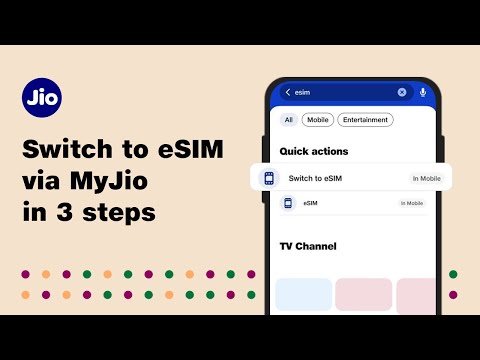
The MyJio app is not just for recharges—it also connects you to customer support instantly.
-
Open the app, navigate to the Help section, and select your issue type.
-
Options include chat support, ticket submission, and troubleshooting guides.
-
The app also lets you track complaint status, making follow-ups hassle-free.
3. Email Support
For non-urgent issues or documentation requests, emailing Jio is a good option.
-
Use care@jio.com for queries.
-
Mention your Jio number, the nature of the problem, and attach any relevant screenshots or documents.
-
While responses may take a day or two, email support ensures you have a written record.
4. Social Media Support
Many users prefer reaching Jio on social media for quick responses. Jio actively manages:
-
Twitter: Handle queries with @JioCare.
-
Facebook: Direct messages on their official page get fast replies.
Common Jio Customer Care Queries
Understanding common issues can help you prepare before calling. Here’s a breakdown:
Billing and Recharge Issues
-
Missing balance after recharge
-
Incorrect plan activation
-
Data balance discrepancies
-
Auto-renewal confusion
Network and Connectivity
-
Slow internet or intermittent data
-
Signal issues in specific locations
-
JioFiber connection downtime
SIM and Device Support
-
SIM activation for new users
-
JioPhone or smartphone compatibility
-
Lost or damaged SIM replacement
Plan Upgrades and Offers
-
Upgrading to higher data packs
-
Applying promotional discounts
-
Family or multi-user plans
Having your queries structured before calling ensures faster solutions.
Tips to Get Faster Support
Nobody enjoys waiting on hold or repeating themselves. Here’s how to make the most of Jio support:
-
Keep your details handy – Jio number, email, billing info.
-
Choose the right channel – For urgent issues, call. For documentation, email.
-
Be concise but detailed – Explain the problem clearly with dates and screenshots if necessary.
-
Follow up smartly – Note down complaint numbers for future reference.
-
Use self-service tools – MyJio app and FAQs often solve 70% of issues without human interaction.
Jio Customer Care for Businesses
If you are running a business and using Jio Business Services, you can access dedicated support:
-
Business Helpline: 1800-889-9999
-
Email: businesscare@jio.com
-
Priority Support: Enterprise customers get faster call queues and personalized assistance.
Business users often require assistance with:
-
Bulk SIM activations
-
Data management
-
Billing solutions for multiple lines
-
JioFiber enterprise installation
FAQs About Jio Customer Care
Q1: Is Jio Customer Care free?
Yes, calls to 198 from Jio numbers are toll-free. Calls from other numbers may vary.
Q2: Can I reach Jio support 24/7?
Yes, Jio provides 24/7 support for all urgent queries, especially network and connectivity issues.
Q3: How long does it take for email responses?
Typically, 24–48 hours. Complex issues may take longer.
Q4: Can I track my complaint?
Yes, using the MyJio app or reference numbers provided during calls.
Q5: Are there special numbers for JioFiber?
Yes, JioFiber users can dial 1800-896-9999 for broadband support.
Jio Customer Care Numbers Summary Table
| Service Type | Contact Number | Availability | Notes |
|---|---|---|---|
| Prepaid & Postpaid | 198 | 24/7 | Toll-free from Jio numbers |
| Recharge & Plans | 199 | 24/7 | Prepaid users only |
| JioFiber Support | 1800-896-9999 | 24/7 | Broadband and installation queries |
| Non-Jio Callers | 1800-889-9999 | 24/7 | Toll-free alternative |
| Business Support | 1800-889-9999 | 24/7 | Enterprise and bulk services |
| Email Support | care@jio.com | 24/7 | Non-urgent queries |
Final Thoughts
Having the Jio Customer Care Number handy can make all the difference when facing service issues. While Jio has one of the largest networks in India, occasional problems are inevitable. Knowing the right number, preferred channels, and tips for faster resolution ensures your problems are solved efficiently.
Whether it’s activating a new SIM, resolving a billing error, or troubleshooting network issues, Jio’s customer care is designed to help you. Next time you face a problem, don’t panic—just pick up the phone, open the MyJio app, or send a quick email. Fast support is never far away.
About the Author