Dealing with network issues, recharge problems, or data glitches can be a real headache, especially when you’re trying to get something done on the go. If you’re a Jio user, you know the frustration of waiting endlessly on hold or navigating through confusing menus. But here’s the good news: solving your Jio problems doesn’t have to be a drawn-out process. With the right approach, you can get issues resolved quickly, sometimes even in a matter of minutes.
In this guide, we’ll explore 7 effective ways to tackle Jio customer care issues fast, ensuring your mobile experience remains smooth. From direct calls to app-based support, we cover everything you need to know.
Understanding Jio Customer Care
Before diving into the solutions, it’s essential to understand how Jio customer care works. Jio customer care is designed to assist with a range of issues:
-
Recharge and billing problems
-
Internet speed or connectivity issues
-
SIM activation or replacement
-
Plan upgrades or changes
-
Device-related queries for JioFi or other devices
Jio offers multiple channels for support, including call centers, live chat, apps, and social media. Knowing which route to take can save you a lot of time.
Call Jio Customer Care Directly
The most traditional and sometimes fastest method is to call Jio customer care. Dial 198 (toll-free for complaints) or 199 (for general queries). Here’s how to make the most of this option:
-
Be prepared: Keep your Jio number, account details, and any relevant transaction IDs handy.
-
Explain clearly: A concise description of your problem helps the agent assist faster.
-
Follow up: Note the complaint ID if the issue isn’t resolved immediately. This helps in future follow-ups.
Calling might seem old-fashioned, but for urgent issues like network downtime or SIM activation, it’s often the fastest route.
Use the MyJio App for Quick Resolutions
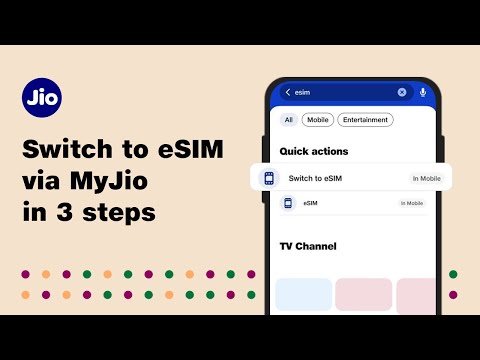
The MyJio app has evolved into a powerful self-service tool. It allows you to manage almost everything without speaking to an agent. Key features include:
-
Checking balance and usage
-
Recharging plans instantly
-
Raising complaints or service requests
-
Tracking complaint status
-
Chat support with virtual assistants
For many users, the MyJio app solves issues in minutes. The built-in chat option connects you to AI-powered support that escalates to human agents if needed.
Leverage Jio’s Live Chat Support
Jio also offers live chat support on its website and MyJio app. This method is ideal if you want to avoid long phone waits. Tips for using live chat effectively:
-
Start with a clear description of your problem
-
Attach screenshots if relevant (e.g., failed recharge or error messages)
-
Ask for the estimated resolution time
-
Keep the chat session active until you receive confirmation
Live chat is especially handy for billing disputes or plan inquiries where written records help later.
Reach Out via Social Media
Many companies, including Jio, respond faster to issues raised on social media. You can try:
-
Twitter: Tweet at @JioCare with your issue
-
Facebook: Message the official Jio page
-
Instagram: Direct message for quick queries
Social media support often works well for public accountability, as companies tend to prioritize visible complaints.
Visit a Jio Store
Sometimes, the fastest way to resolve certain issues—especially SIM-related or device problems—is in-person support. Benefits include:
-
Instant SIM replacement
-
Hands-on troubleshooting for JioFi or other devices
-
Direct escalation to regional managers if needed
Use Jio’s store locator in the app or website to find the nearest outlet. Visiting a store can save days compared to remote resolutions.
Use Jio’s Email Support
While slower than calls or live chat, email support is useful for formal complaints or disputes requiring documentation. Steps to follow:
-
Send a detailed email including your Jio number, issue description, and screenshots
-
Mention the preferred resolution or refund request
-
Keep a record of your email for future follow-up
Email works best for recharge issues, bill discrepancies, or plan refunds.
Try Troubleshooting Before Contacting Support
Often, issues can be resolved without even contacting Jio customer care. Some common self-help tips include:
-
Restart your phone or JioFi device
-
Check network coverage and APN settings
-
Clear app cache in MyJio
-
Ensure SIM is properly inserted
-
Use official Jio tools to reset or troubleshoot
Many times, a simple restart or update fixes what seems like a big problem. It’s always worth trying before calling support.
Bonus Tips for Faster Jio Support
To maximize efficiency, keep these strategies in mind:
-
Be polite but firm: Clear communication speeds up resolution.
-
Keep track of complaint IDs: This prevents repeated explanations.
-
Use multiple channels: Sometimes calling and following up via app accelerates outcomes.
-
Know your plan details: Agents can help faster if you provide plan and recharge info.
Common Jio Customer Issues and How to Fix Them
| Issue | Possible Solution | Channel to Use |
|---|---|---|
| SIM activation delay | Visit store or call 199 | Call / Store |
| Data not working | Restart device, check APN | App / Call |
| Recharge failed | Retry via app or website | App / Email |
| Billing discrepancy | Raise complaint via app | App / Email |
| Network outage | Check coverage map | Call / App |
| Device setup (JioFi) | Reset or follow manual | Store / Call |
| Plan change issues | Update via app or agent | App / Call |
This table summarizes practical steps to common problems, helping you resolve them efficiently.
Why Efficient Jio Customer Care Matters
Reliable customer support is not just a convenience—it’s crucial. Imagine traveling for work with a non-functional SIM or running out of data mid-meeting. Quick resolutions from Jio customer care can save time, reduce stress, and prevent productivity loss. Moreover, seamless service enhances overall user satisfaction and loyalty.
Final Thoughts
Jio customer care doesn’t have to be frustrating. By understanding the available channels—phone, app, live chat, social media, email, or in-person visits—you can choose the fastest route based on your situation. Remember, sometimes the simplest fixes, like restarting a device or checking APN settings, save you hours.
By following these 7 proven strategies, you can resolve almost any Jio issue quickly and efficiently. Don’t let minor network glitches slow you down—take control, use these tips, and experience hassle-free service.
About the Author