Accessing your Employee Provident Fund (EPF) account online has never been easier, yet many people still feel intimidated by the process. If you’ve been postponing your EPFO login because you’re unsure about the steps, the security, or the paperwork, this guide is for you. Whether you’re a first-time user or someone who logs in occasionally, understanding how to navigate the EPFO portal efficiently can save you time, reduce errors, and give you peace of mind about your retirement savings.
In this guide, we’ll walk you through every step of EPFO login, tips to secure your account, and how to make the most out of your EPF account online. By the end, you’ll feel confident managing your EPF digitally, without the need to visit your employer or EPFO office in person.
What is EPFO Login?
The EPFO login refers to the online access provided by the Employees’ Provident Fund Organisation (EPFO), which allows registered members to manage their provident fund accounts from anywhere. By logging in, users can:
-
Check their PF balance
-
Track contributions from both employer and employee
-
Download account statements
-
Submit claims for withdrawals or advances
-
Update KYC details and personal information
This digital platform has made EPF management faster, more transparent, and secure. Gone are the days when you had to rely solely on physical documents and manual verification.
Who Can Access EPFO Online?
Not everyone can jump onto the EPFO portal immediately. To ensure smooth access, you must be:
-
A registered EPF member – Employees whose companies contribute to EPF automatically receive a Universal Account Number (UAN).
-
UAN activated – Your UAN must be linked to your EPF account and activated on the EPFO portal.
-
KYC compliant – Your Aadhaar, PAN, and bank details should be updated and verified to avoid login or withdrawal issues.
If you meet these criteria, the EPFO login process becomes seamless and quick.
How to Access Your EPFO Account: Step-by-Step Guide
Logging in to your EPF account is simpler than it sounds. Follow these steps:
Step 1: Visit the Official EPFO Portal
Open your browser and go to the EPFO member portal. Ensure it’s the official website to avoid phishing scams.
Step 2: Click on “For Employees”
You will see multiple options on the homepage. Select “For Employees” under the Services tab.
Step 3: Select “Member UAN/Online Services”
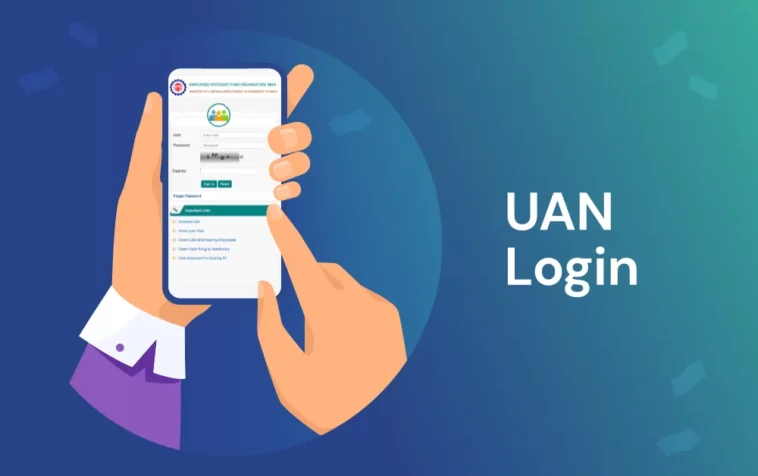
This will redirect you to the login page where you’ll use your UAN (Universal Account Number) and password.
Step 4: Enter Your Credentials
Input your UAN number and password. Complete the captcha verification and click Sign In.
Step 5: Access Your Dashboard
Once logged in, you can:
-
Check EPF balance
-
View passbook and contribution history
-
Download annual statements
-
Update KYC details
-
Submit claims for withdrawals
Pro Tip: Always log out after your session to maintain account security.
Resetting Your EPFO Login Password
Forgot your password? Don’t panic. Here’s how you can reset it:
-
Click on “Forgot Password” on the login page.
-
Enter your UAN number and registered mobile number.
-
You will receive an OTP for verification.
-
Set a new password and log in.
This ensures that only you, with access to your registered mobile number, can reset the password and protect your account.
EPFO Mobile App: Access on the Go
For those who prefer managing finances on their phones, the EPFO mobile app is a convenient option. The app allows you to:
-
Check PF balance instantly
-
View passbook updates
-
Submit partial withdrawal requests
-
Track claim status
Available on both Android and iOS, the app brings EPFO login functionality directly to your fingertips.
Common Issues During EPFO Login
Even with a straightforward portal, users sometimes face login problems. Here are the most common issues:
| Issue | Possible Cause | Solution |
|---|---|---|
| Login fails | Incorrect UAN or password | Reset password via “Forgot Password” |
| OTP not received | Mobile number not updated | Update KYC with current mobile number |
| Account locked | Multiple failed login attempts | Contact EPFO helpdesk or HR for assistance |
| KYC mismatch | PAN, Aadhaar, or bank details incorrect | Update KYC through the portal |
Addressing these issues promptly ensures uninterrupted access to your EPF account.
Benefits of Using EPFO Online
Using the online EPFO login system offers several advantages:
-
24/7 Access – Check your PF anytime without office visits
-
Transparency – Keep track of employer contributions and interest accumulation
-
Faster Withdrawals – Submit claims and receive funds quicker
-
Paperless Process – Reduce the need for manual forms and signatures
-
Security – Enhanced login protocols protect your retirement savings
Moreover, EPFO online ensures that even employees who frequently change jobs can monitor their provident fund accounts without losing track.
How to Secure Your EPFO Account
Security is critical when it comes to online financial platforms. Follow these tips to protect your EPFO login:
-
Use a strong, unique password – Avoid predictable passwords like birthdates or sequential numbers.
-
Enable two-factor authentication – If available, this adds an extra layer of protection.
-
Log out from shared devices – Never stay logged in on public computers.
-
Regularly update KYC details – Ensures smooth verification and prevents unauthorized access.
-
Avoid phishing links – Always navigate to the EPFO portal manually instead of clicking on suspicious emails or messages.
Implementing these practices keeps your EPF account safe from cyber threats.
Tracking Your EPF Balance
One of the most common reasons people access their EPF online is to track their balance. You can:
-
Check monthly contributions
-
View interest earned
-
Compare with previous years’ balances
-
Estimate retirement corpus
A well-maintained EPF account can be a reliable source of retirement funds, making regular balance checks a smart financial habit.
Updating Personal Information
Keeping your details updated is crucial. The EPFO login portal allows you to update:
-
Bank account details
-
Aadhaar number
-
PAN information
-
Contact details
Accurate information ensures that withdrawals, transfers, and claims are processed without delays.
EPFO Claim Status: How to Check Online
After submitting a withdrawal or transfer request, you can track the claim status easily:
-
Log in using your UAN credentials
-
Navigate to Online Services → Track Claim Status
-
Enter the claim reference number
-
View the current status and estimated payout date
This transparency reduces anxiety and helps you plan your finances better.
Tips for First-Time EPFO Users
If you’re logging in for the first time, here’s what you should keep in mind:
-
Activate your UAN immediately after receiving it
-
Update KYC before attempting withdrawals
-
Keep a record of all login credentials securely
-
Familiarize yourself with dashboard features before making changes
These small steps save time and prevent unnecessary complications later.
EPFO Login: Frequently Asked Questions
Q1: Can I log in without UAN?
No, UAN is mandatory for online EPF access.
Q2: How often is EPF balance updated?
Typically, EPF balance updates monthly, reflecting contributions from both employer and employee.
Q3: Is EPFO login free?
Yes, accessing your account online does not involve any charges.
Q4: Can I download my EPF statement?
Yes, the portal allows you to download PDF statements for personal records.
Q5: Is EPFO login secure?
Yes, the portal uses OTP-based verification and HTTPS encryption to secure your account.
Conclusion
EPFO login is more than just a portal; it’s your gateway to tracking, managing, and securing your retirement funds. By understanding how to access your account, troubleshoot common issues, and maintain security, you can make the most of your EPF contributions. Take a moment today to log in, check your balance, update your KYC, and ensure that your retirement savings are on track.
About the Author